
ADVERTISEMENT


Google Family Link for parents is a powerful parental controls app that helps you keep your family safer online. With this app, you can guide your child to age-appropriate content, manage and secure their account, establish digital ground rules, and stay connected on the go. Google Family Link gives parents the flexibility to choose the right balance for their family's relationship with technology and helps create healthy digital habits.
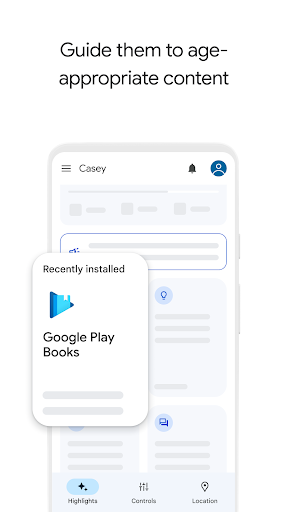
1. Guide them to age-appropriate content - With Family Link, you have the ability to approve or block apps that your child wants to download. You can also choose the right YouTube experience for your child, whether it's a supervised experience on YouTube or YouTube Kids.
2. Establish Digital Ground Rules - Family Link allows you to set up basic digital ground rules for your child's supervised Google account. This includes managing and securing their account, protecting their privacy by managing permissions for websites and extensions, and setting up rules for using Google products like Search, Chrome, and Gmail.
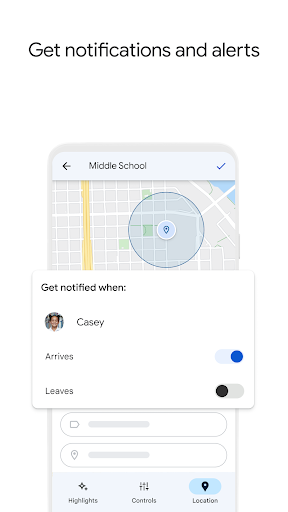
3. Stay connected on the go - With Family Link, you can easily locate your children on one map as long as they are carrying their device. This feature provides peace of mind and ensures you can find your family members when they are on the go.
4. Manage and secure your child's account - Family Link gives you the tools to protect your child's account and make meaningful choices about their data. You can view and manage permissions for websites, extensions accessed through Chrome, and apps downloaded on your child's device.
1. Is Family Link a guarantee of internet safety?
While Family Link provides tools to manage your child's online experience and keep them safer, it does not make the internet safe. Family Link allows parents to make decisions about how their child spends time on their device and determine the best path to online safety for their family.
2. Can I use Family Link for any Google account?
Family Link parental controls are only available for supervised Google accounts. Children with supervised Google accounts have access to Google products like Search, Chrome, and Gmail, and parents can set up basic digital ground rules to supervise them.
3. Can I track the location of my child's device?
Yes, with Family Link, you can easily locate your children on one map as long as they are carrying their device. This feature helps you stay connected with your family when they are on the go.
Google Family Link for parents is a comprehensive and user-friendly app that provides essential tools for parents to manage their child's online experience. From guiding them to age-appropriate content and establishing digital ground rules to staying connected on the go and managing their account privacy, Family Link offers peace of mind and the ability to create a healthy digital environment for the whole family. It's a must-have app for parents navigating the digital world with their children.
ADVERTISEMENT




Tools

Tools

Tools

Tools

Tools

Tools

Tools

Tools

Tools

Tools

Tools

Tools

Tools

Tools

Tools

Tools

Tools

Tools

Tools

Tools

Tools

Tools

Tools

Tools

Communication

Social

Social

Shopping

Action

Communication

Entertainment

Social

Video Players & Editors

Entertainment


